astraeus ~ windowsPress Win Alt A to open

Astraeus

Hi. I'm the island.

Download
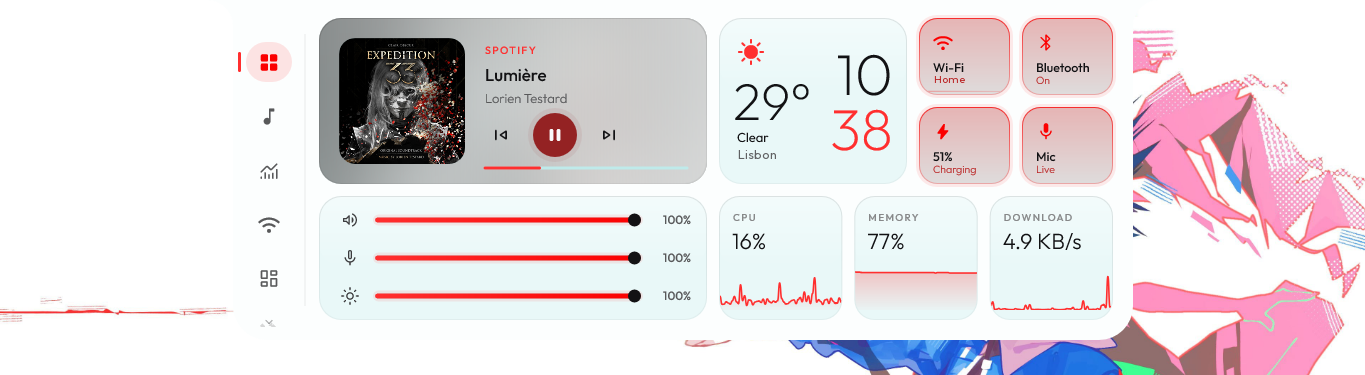
Home The song, the weather and the time, quick toggles, sliders and live stats, in a custom red look.

The islandfor Windows.

A panel that drips open from the edge of your screen: your music, synced lyrics, quick toggles, live stats and everyday tools. Rest the mouse on the top edge, or press Win Alt A.

The panel

  1. Home

    The song, the weather and the time, Wi-Fi, Bluetooth, battery and mic, three sliders and live stats, all at once.

    Rest the mouse on the middle of the top edge.

    Home Everything at once.
  2. Behind Home

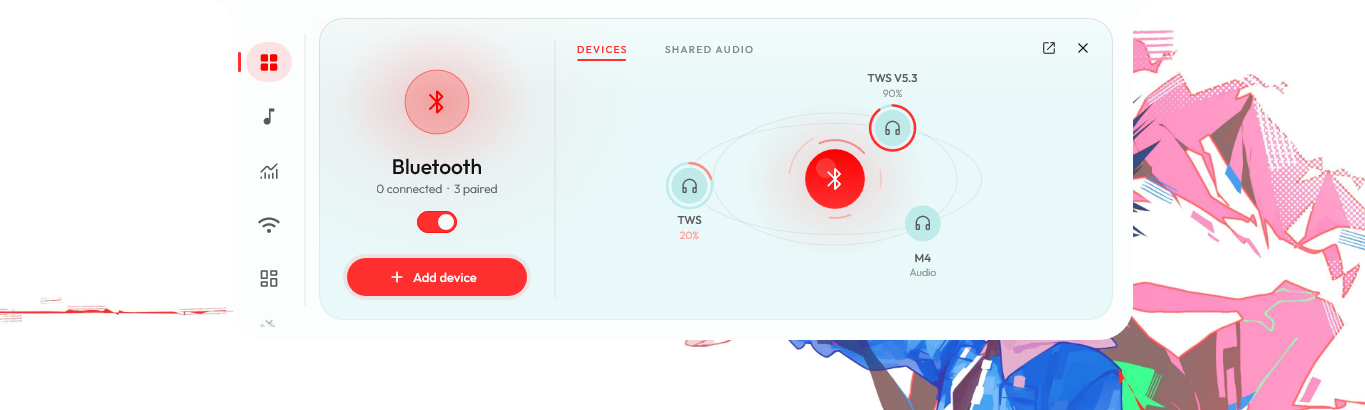
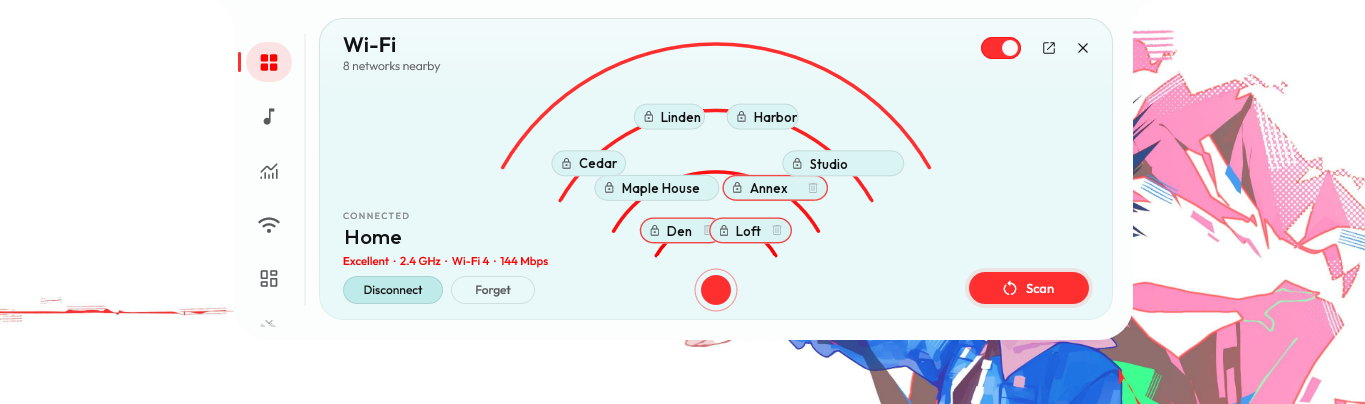
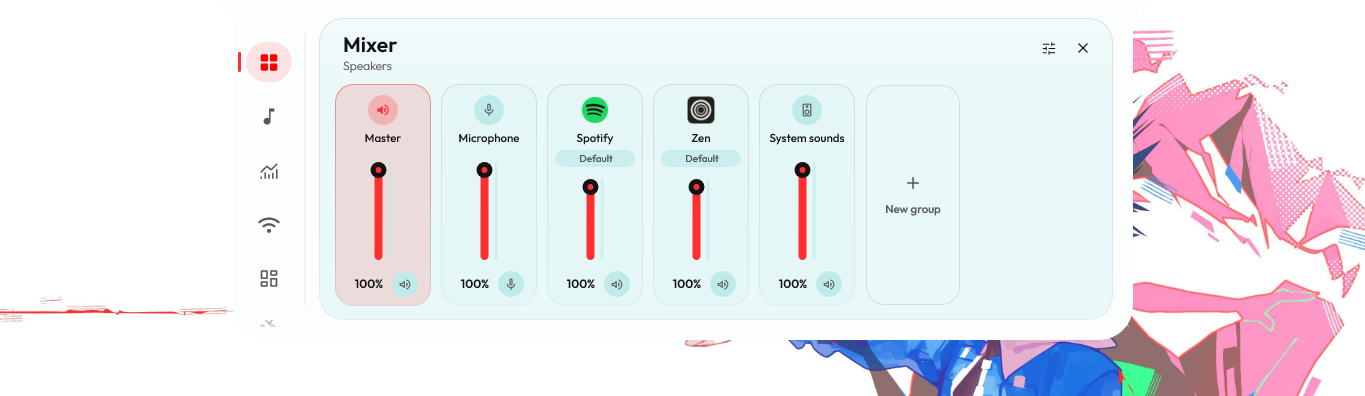
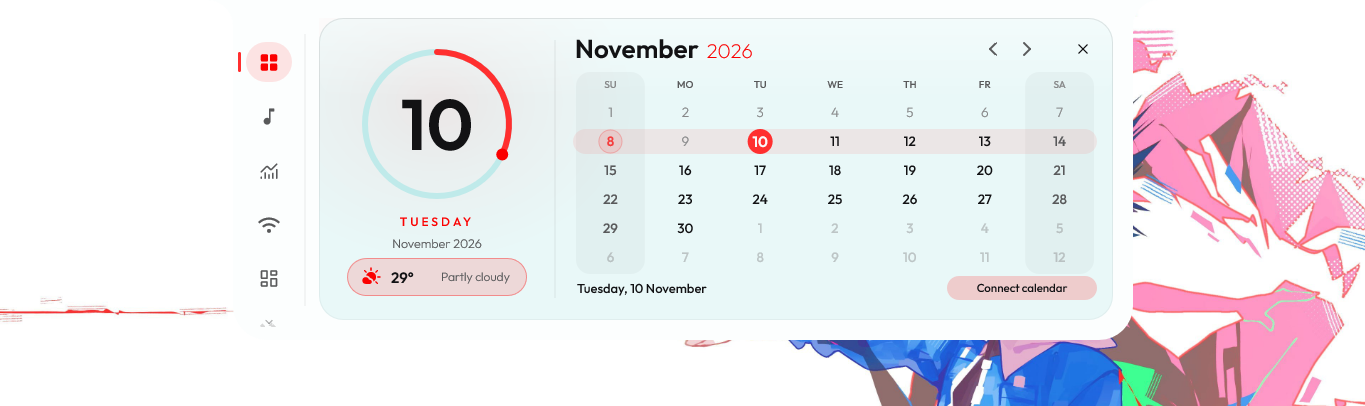
    Your Bluetooth devices orbiting your PC, a Wi-Fi map, a mixer with a fader for every app, the calendar and the forecast.

    Right-click Bluetooth or Wi-Fi, click the speaker, click the weather.

    Bluetooth Right-click the Bluetooth tile.
    Wi-Fi Right-click the Wi-Fi tile.
    Mixer Click the speaker on the volume slider.
    Calendar Click the weather card.
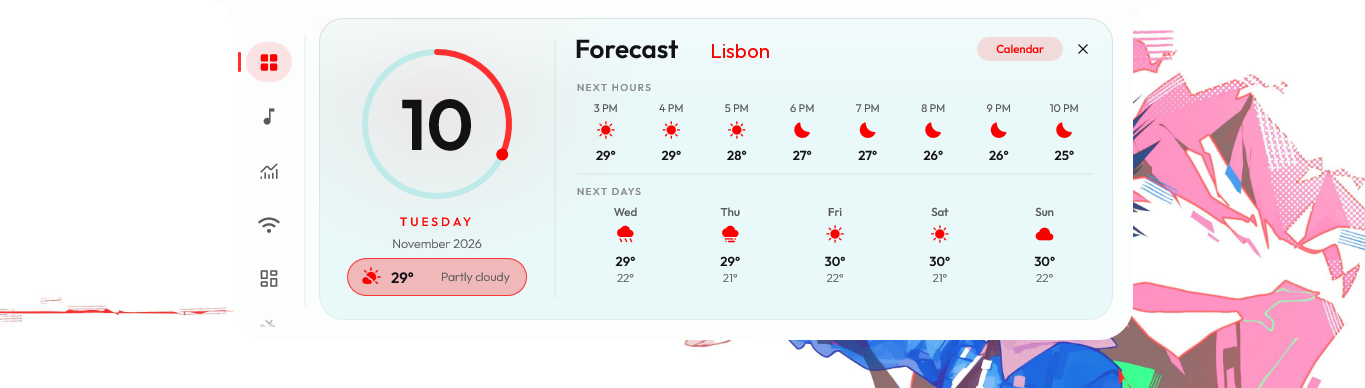
    Forecast Click the weather in the calendar.
  3. Media

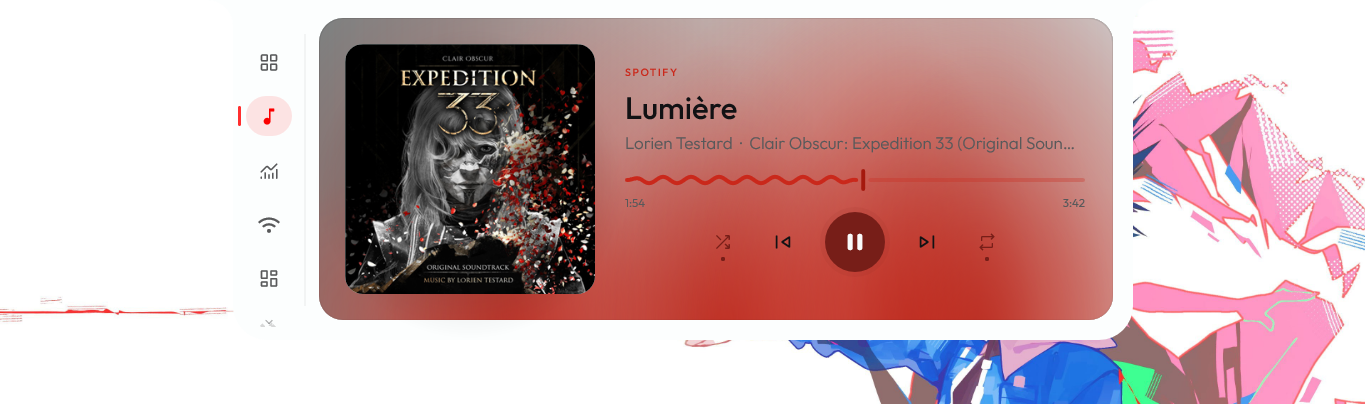
    Spotify, browsers, anything that talks to Windows' media controls. Soft light swells with the music, bass to treble.

    Click the cover for the fullscreen player.

    Media Light that swells with the music.
  4. System

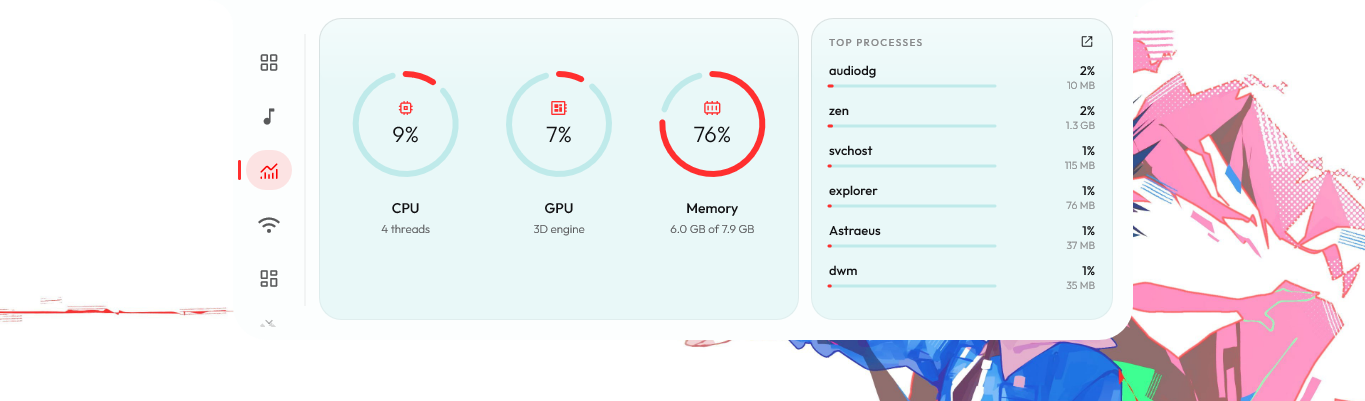
    CPU, GPU and memory, and the processes using the most. The gauges only run while you look.

    The CPU and Memory cards on Home bring you here.

    System CPU, GPU, memory and the busiest processes.
  5. Network

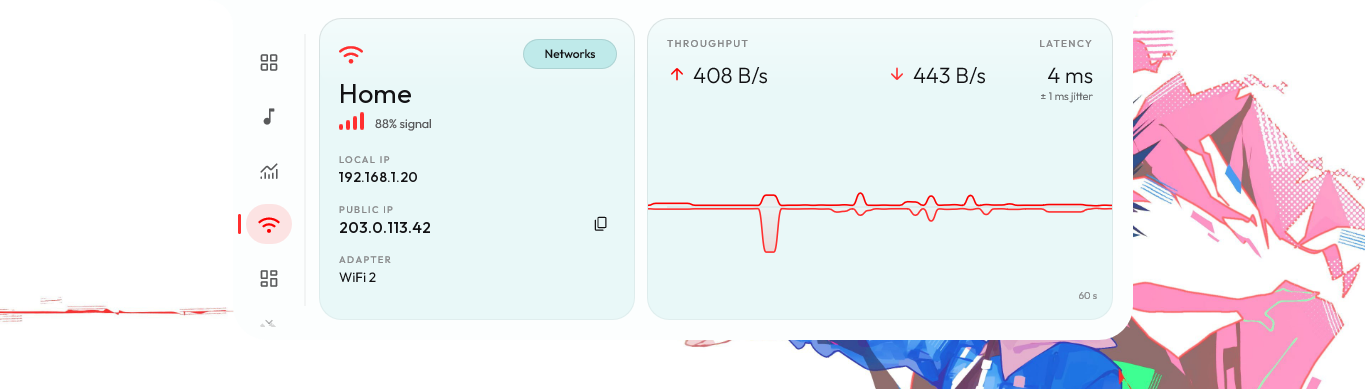
    Upload and download, latency and jitter over the last minute, your IP addresses and the adapter.

    Networks opens the Wi-Fi map.

    Network Throughput and latency over the last minute.
  6. Shelf

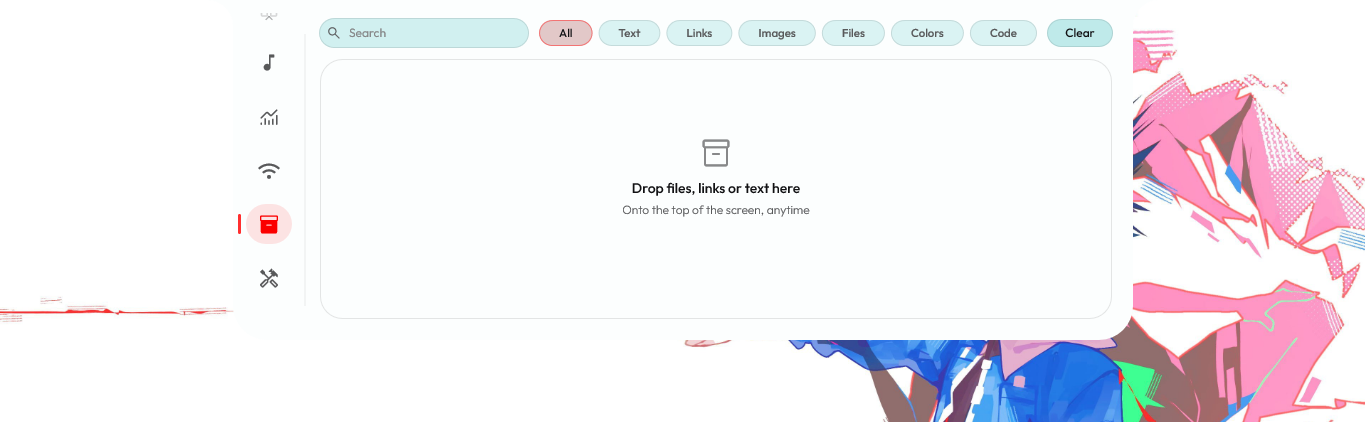
    Drag files, links or text onto the top of the screen and they wait here. Search them, sort them, drag them back out.

    Drop onto the top edge, anytime.

    Shelf Files, links and text, waiting.
  7. Widgets

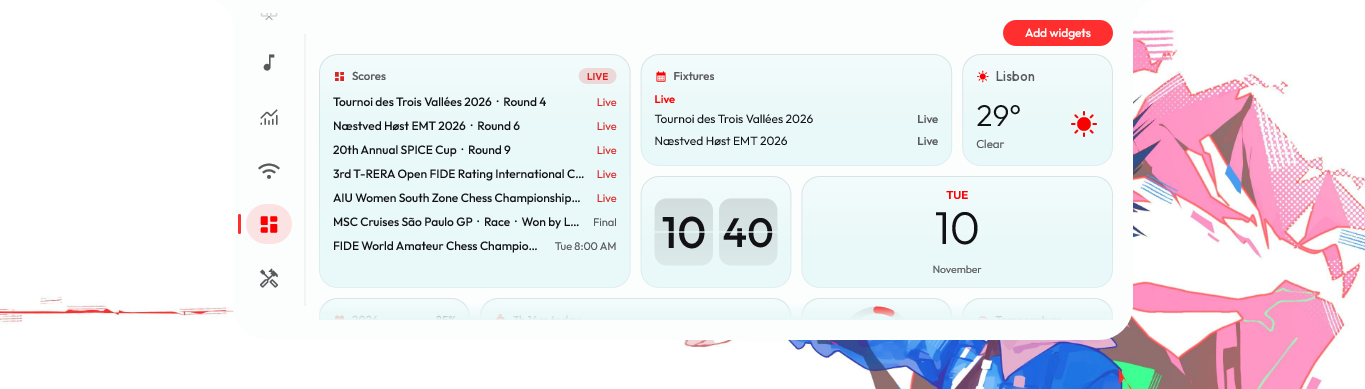
    Clocks, weather, notes, stocks, and live scores from nearly 50 leagues. Small, wide or large, wherever you like.

    Add widgets, top right of the page.

    Widgets Scores, fixtures, weather and clocks.
  8. Tools

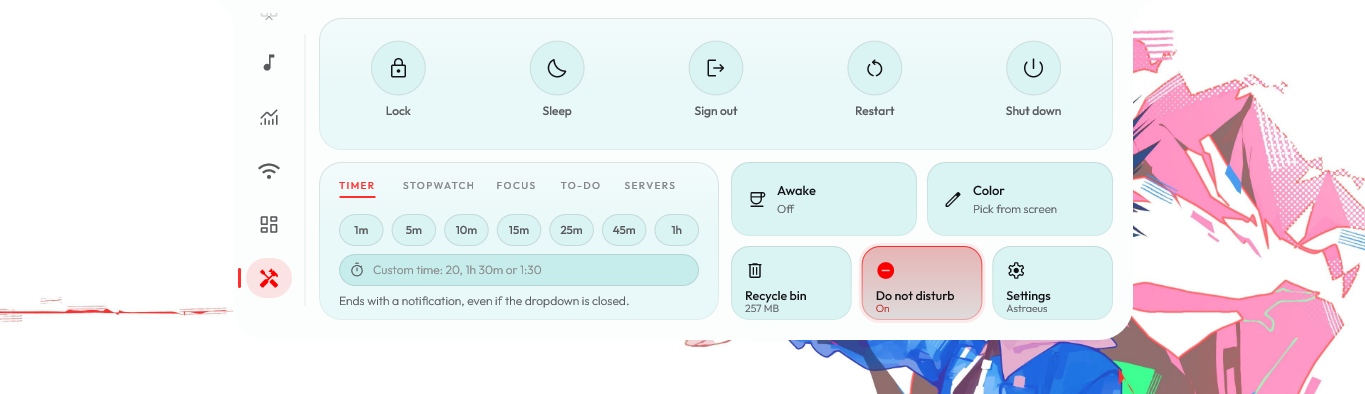
    Lock, sleep, restart and shut down. A timer, a stopwatch, focus sessions, a color picker and quick tiles you pick.

    Right-click the tiles to choose them.

    Tools Power, timers and quick tiles.
  9. Settings

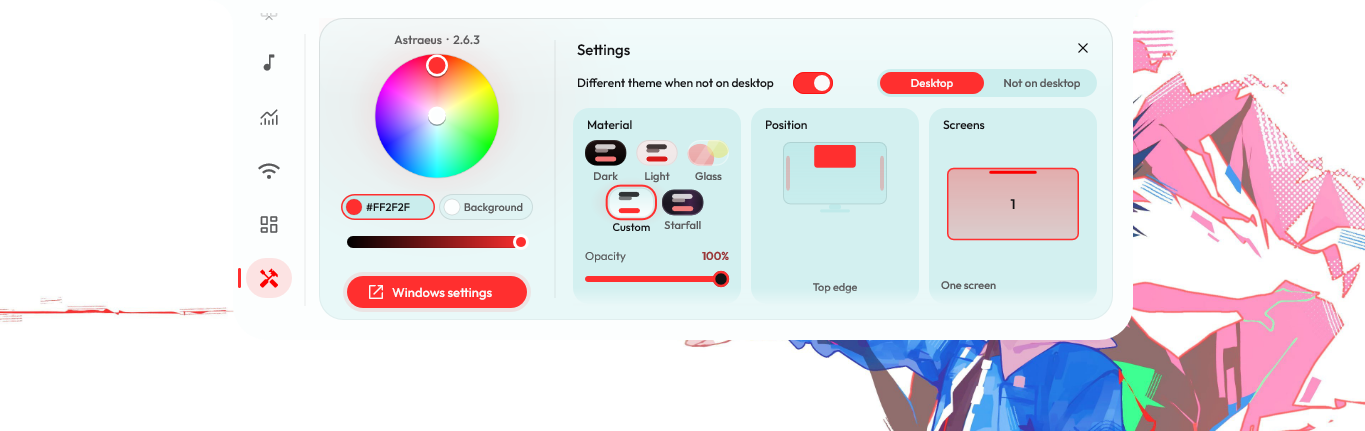
    Behind the Settings tile on Tools: the look and its colors, the edge it lives on and which screens, each picked from a small picture of the real thing.

    Click the Settings tile on Tools, or Settings in the tray menu.

    Settings Every look, from the real thing.

Over your apps,just a pill.

Over a maximized window, Astraeus doesn't drop the whole panel on your work. A pill shows what's playing, and a click opens the panel. On the desktop the long pill shows whatever you give it, and sings along.

The island pill What's playing, over your apps.
The long pill, singing along While a line is sung, the lyrics take the middle's place.

Twenty things the long pill can show. Scroll to turn.

    Right-click either pill.

    A tile for every item with what it would show right now, separate sets for the desktop and over your apps, stuck to the edge or floating, in the theme, the accent, glass or clear. Undo, Redo and Reset, always.

    Arranging the long pill The editor: a tile for every item.

    Fullscreen lyrics

    Fullscreen lyrics The cover on one side, the lyrics on the other.

    FullscreenClick the cover on the Media page

    1. Click the cover.
    2. The song fills the screen.
    3. Words light up as they're sung,
    4. the rest drift out of focus.
    5. Press S, it spans two screens.

    One panel.Every look.

    The palette comes from your wallpaper, the album art, or any accent you pick. Clear drops the frost. Your apps can wear a different look from your desktop.

    Custom A color wheel for any accent and any background.
    Custom
    Dark The default.
    Dark
    Glass A live frosted blur of what's behind.
    Glass
    Starfall A night sky with a slow violet glow.
    Starfall
    Light Dark ink on pale surfaces.
    Light

    And everythingelse.

    Bluetooth Your devices orbit your PC.
    Wi-Fi Nearby networks, closer the stronger.
    Mixer A fader for every app.
    Calendar The month, holidays lit.
    Forecast The next hours and days.
    Shelf Drop it on the top edge.
    System What's working hardest.
    Network Your connection, live.
    Widgets Scores, stocks, clocks.
    Tools Timers and power.
    Settings Every look, picked.
    Media Light that swells.

    Costs nothingwhile it's closed.

    9MB

    memory while closed

    ~2MB

    a few seconds after closing

    0.08%

    of one CPU core, closed

    One native executable in C++20, drawing with Direct2D and DirectComposition. No Electron, no web view, no runtime. Frames are drawn only while something moves, and a few seconds after the panel closes the GPU is handed back to Windows. Runs on Windows 10 and 11.

    Measured on an Intel Core i5-4210U with integrated graphics, 8 GB RAM, Windows 11, 1366×768. Private working set from Windows performance counters, as Task Manager shows it, after the app settles; closed sampled over 20 seconds. Open on Home it settles around 23 MB and 1.7% of one core; the first open of a session is about 44 MB.

    Get Astraeus.

    Free and open source. One file for Windows 10 and 11, and new releases install themselves.

    Download Astraeus.exe
    1. It isn't code-signed yet, so SmartScreen may say "unknown publisher". Choose More info, then Run anyway.
    2. Say yes to starting with Windows and it copies itself to %LOCALAPPDATA%\Programs\Astraeus. No admin rights.
    3. Every release is built from the repository, with its SHA-256 published beside it as Astraeus.exe.sha256.